
Using CKEditor as a plugin into your CodeIgniter applications
CKEditor is a powerfull WYSIWYG text editor licensed under the GPL, LGPL and MPL open source licenses. CKEditor can easilly be added to any web page, you will find below a simple way to integrate CKeditor to your CodeIgniter applications.
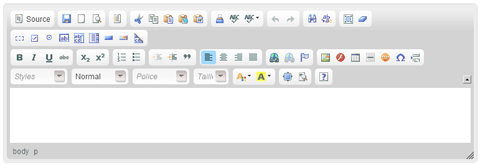
Downloading CKEditor
The first step is to download the CKEditor editor package, note that the helper have only be tested over CKEditor 3.0.2. Once done, you should consider to remove the _samples and _sources directories from the uncompressed files.
Then, place the entire ckeditor directory into a /js/ folder. You can place it anywhere but remember to set the correct path when initializing the helper.
Adding the CKEditor helper for CodeIgniter
Download and place the ckeditor_helper.php file into the CodeIgniter’s system/application/helpers folder.
This helper can manage all CKEditor’s available configuration options, custom styles definitions, multiple intances of the editor on the same page and extra config parameters such as toolbar definition.
Creating the controller
First of all, we are going to create a controller that will set all the helper’s configuration options. In this exemple, we are going to instanciate two CKEditors with different configuration values. You are able to set all CKEditor’s available configuration options inside the config array. We are also going to define custom styles to replace the CKEditor’s default styles. Note that the id must match the textarea’s id in the view. Since the 2010-08-28 version, each styles definitions are applied to the associated CKEditor instance, allowing you to use different option set by instance. Since this version, you can also add severals CKEditor instance on the same page and define custom toolbars (thanks to the ronan’s patch ;)).
That’s all ! If you’ve followed all the steps correctly, two CKEditors should shows up in the view. Please note that I assume that you are loading also a correct header and footer view with all the xHTML required stuff.
Downloading the tutorial
Source files of this tutorial (controller, helper, and view) can be downloaded here.
Changelog
- 2010-08-28: Ronan’s patch for custom toolbar definition added (thanks dude!).
- 2010-08-28: Configuration options are now only applied on the associated CKEditor.
- 2010-08-28: Several editors can now be displayed on the same page.
- 2010-01-12: All the stuff moved out of system/plugins.
- 2010-01-30: Fixed Internet Explorer compatibility issue.
Troubleshooting
- If you are using the .htaccess file given by the CodeIgniter’s user guide and have placed the ckeditor’s folder into system/plugins, be sure to allow the directory system to be called via HTTP in order to allow access to the plugins directory
Licence

CKEditor plugin for CodeIgniter by Samuel Sanchez is licensed under a Creative Commons Attribution-Share Alike 3.0 United States License.
Permissions beyond the scope of this license may be available at https://nukium.com/contact-nukium-developpeur-france/.